

Since I spend the majority of my week working at the desk in my home office, I put a lot of thought into designing my ideal setup where I can be productive and stay inspired as I handle the many different parts of running Ugmonk. You might have even seen some of my desk photos floating around the web somewhere since they've been downloaded over a million times. Today, I wanted to share a bit more about that same desk, and how I’ve curated and designed it over the years to help me maximize my work day. At the end of this post, I'm also sharing a secret project I've been working on for 3+ years. See if you can spot it in the photos.
Why My Desk is Productive (Not Just Pretty)When I first started Ugmonk, I worked in our tiny apartment loft, on my couch, and in coffee shops—wherever and whenever I could, just to get things done. I had pens scattered everywhere, my phone often got lost under piles of paper, and other odds and ends were always cluttering up my desk. The more serious this venture became, the more I realized I was going to need more than just a cobbled-together work surface to focus and get work done. When we bought our house a few years ago, we made sure it had ample space for me to set up a dedicated office, and I got right to work figuring out the best way to set it up.
1. The Desk
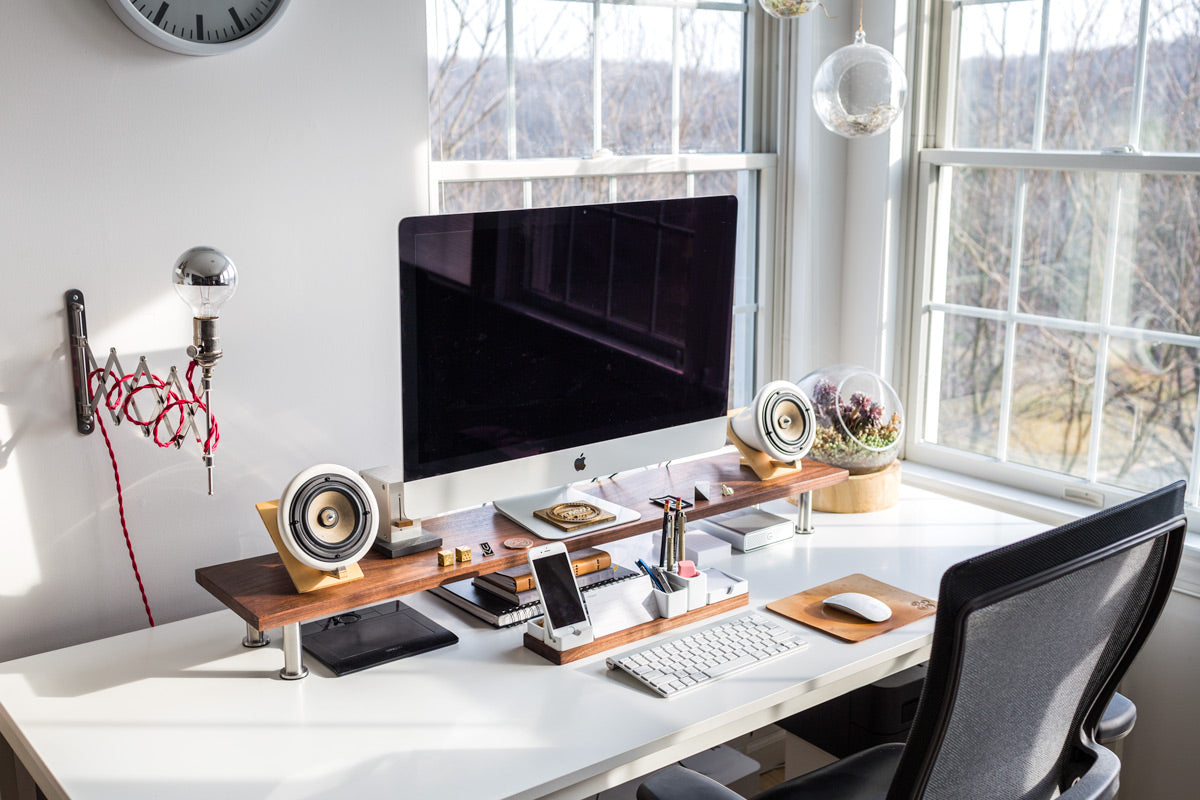
My desk is actually just a large white dining table from IKEA. I don’t think they still sell this large size anymore, but they have a bunch of options for large affordable tables. There are other desks available with a lot more features, but this simple table has served me well for the past 7 years. I also attached this simple cable organizer on the underside to hold the cables and surge protector. Maybe someday, I’ll design and sell an Ugmonk desk (I have lots of ideas), but for now, I’ll be sticking with this desk. ★ Why I like it:- The white surface is bright and easy to clean
- Large work area allows me to spread things out and keeps me from feeling cramped
- Super affordable, allowing me to invest on what goes on the desk, rather than the desk itself
- Makes a nice surface to shoot quick photos for Instagram and Twitter
2. Custom Monitor Stand
My monitor stand is a little IKEA hack that I put together several years ago. My goal was to raise my 27″ iMac to eye level to create a better ergonomic position so I wasn’t hunched over at my desk. It also helps to better utilize my desk surface by creating space to store things like my external hard drive. I wrote detailed step-by-step instructions of how to build your own monitor stand here. ★ Why I like it:- Raises my monitor to eye level so I’m not hunched over
- Creates storage space for things like my external hard drive and sketchbooks
- The solid walnut complements my workspace nicely

3. Leather Mousepad
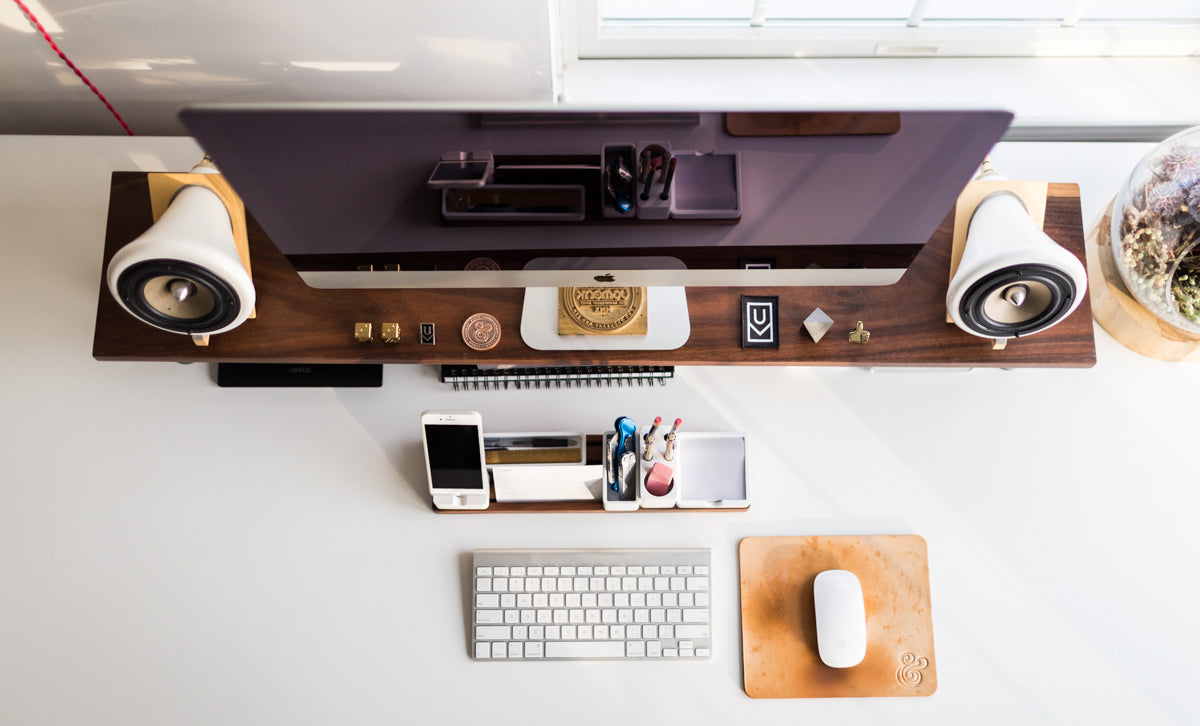
I’m probably biased, but my leather mousepad is one of my favorites parts of my setup. When I had the idea to create a leather mousepad back in 2011, I really just wanted to make one for me to use. I wasn’t sure if people still used mousepads these days, but apparently thousands of people do. It’s so cool to see the leather evolve and transform over time from use and sunlight. I’ve used a few different ones over the years, and each one has a slightly different look. ★ Why I like it:- Creates a smooth surface for mouse to glide on
- Provides a little bit of cushion for my wrist
- The leather ages beautifully over time and wears in a unique way
 And here's a video about how our leather goods are made by hand in Tacoma, Washington.
[fve]https://vimeo.com/150854197[/fve]
And here's a video about how our leather goods are made by hand in Tacoma, Washington.
[fve]https://vimeo.com/150854197[/fve]
4. iMac
My 27” iMac is my daily workhorse, and it’s the one tool I literally couldn’t work without. I use this computer for everything involved in designing and running Ugmonk. I purchased my current iMac back in 2013, and for the most part, it’s still going strong. Tech specs of my current computer: 27” iMac / 3.2 GHz Intel Core i5 / 16 GB 1600 MHz DDR3 / 3TB Fusion Drive ★ Why I like it:- Large screen size is great for designing and zooming in on details
- One unit (Yes, this limits how much I can upgrade it, but I don’t have to worry about connecting and disconnecting separate monitors. It’s always ready to go as soon as I sit down at my desk.)
- Sleek form factor
5. Apple Magic Mouse
I have a love/hate relationship with the Magic Mouse. I’ve been using a Magic Mouse ever since it was released and haven’t been able to switch to anything else. I love the smooth inertia scrolling and multitouch gestures, but dislike the bluetooth connectivity issues. Even with fresh batteries, the mouse seems to struggle to stay connected at times. ★ Why I like it:- The smooth scrolling is just so addictive
- Wireless feels so much nicer than having a cord tugging at me all day

6. Apple Wireless keyboard
I’ve always loved the slim keys and feel of Apple keyboards. There’s a lot of talk around building custom keyboards these days, but I’m so used to using an Apple keyboard that I’ve just stuck with this one (at least for now). The only thing I don’t like is how fast it chews through batteries. ★ Why I like it:- Slim keys are easy to type on and just feel good
- The wireless feature makes it really easy to move out of the way when I’m sketching or using my desk for other tasks

7. Joey Roth Ceramic Speakers
I get asked about my speakers on a weekly basis. Not only do they look stunning next to my iMac, but they also sound fantastic. Their simple, organic forms, combined with the use of natural materials and exposed elements, make them a work of art. I wouldn’t call myself an audiophile, but to me, these provide exceptional sound, especially while sitting directly in front of them at my desk. (Side note: I don’t have the Joey Roth Subwoofer, so I just connected the speakers to an inexpensive Logitech subwoofer for now that sits under my desk) ★ Why I like it:- Amazing, crystal clear sound
- Unique design that complements my workspace aesthetic
- Beautiful use of natural materials (wood and ceramic)

I've been working on a secret project for the past 3+ years. Jump to the end of the post to see it.
8. Wacom Bamboo Tablet
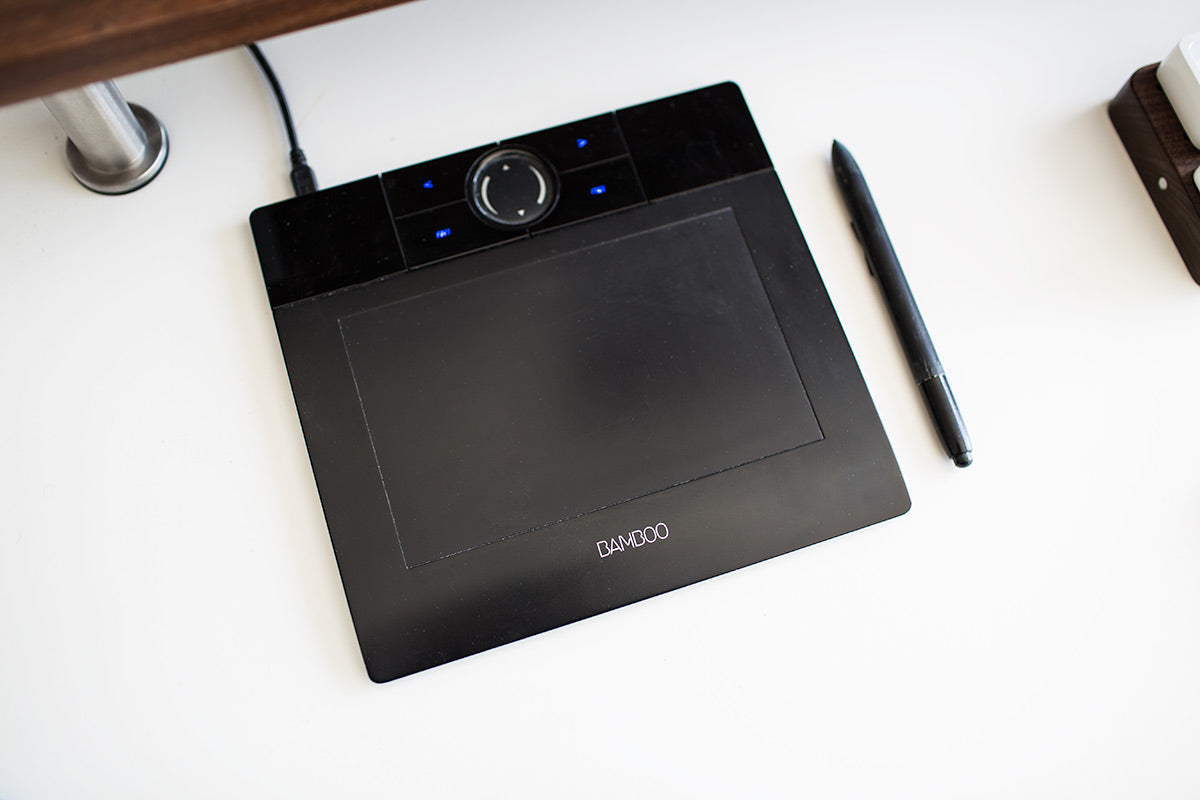
I often use this pen tablet to give me more control and precision when working in Photoshop and Illustrator. It’s also much easier to create natural sketching and handwritten motion with the pen than with the mouse. I’m left handed, so I use the tablet in my left hand and the mouse in my right hand. ★ Why I like it:- Using a pen instead of a mouse feels much more natural when using the brush tool in Photoshop or Illustrator
- It’s super affordable and gets the job done for what I need. If I was doing more complex drawing and painting. I’d probably upgrade to a nicer Wacom tablet with more pressure sensitivity.
9. External hard drive
Unfortunately, hard drives fail sometimes. If my iMac hard drive fails, I want to make sure I don’t lose anything, so I have a 4TB external G-Drive connected to my iMac for the sole purpose of backup. I use Mac’s built-in Time Machine feature to clone my hard drive and automatically back up everything without ever having to think about it. ★ Why I like it:- G Drives have a really good reputation (though they aren’t immune to failure)
- The beautiful industrial design of the enclosure matches the aesthetic of the rest of my setup

10. Glass Terrariums
Adding a bit of greenery on my desk helps liven things up. Succulents and air plants are also pretty low maintenance and good for people like me who don’t have a green thumb. I have one larger terrarium on my desk and three glass globes suspended from the ceiling.
11. Ugmonk Anniversary Collectables
I keep a variety of the Ugmonk Anniversary Set items that I’ve designed over the years on my monitor stand. The brass dice from the 6th Anniversary Set are probably still my personal favorite.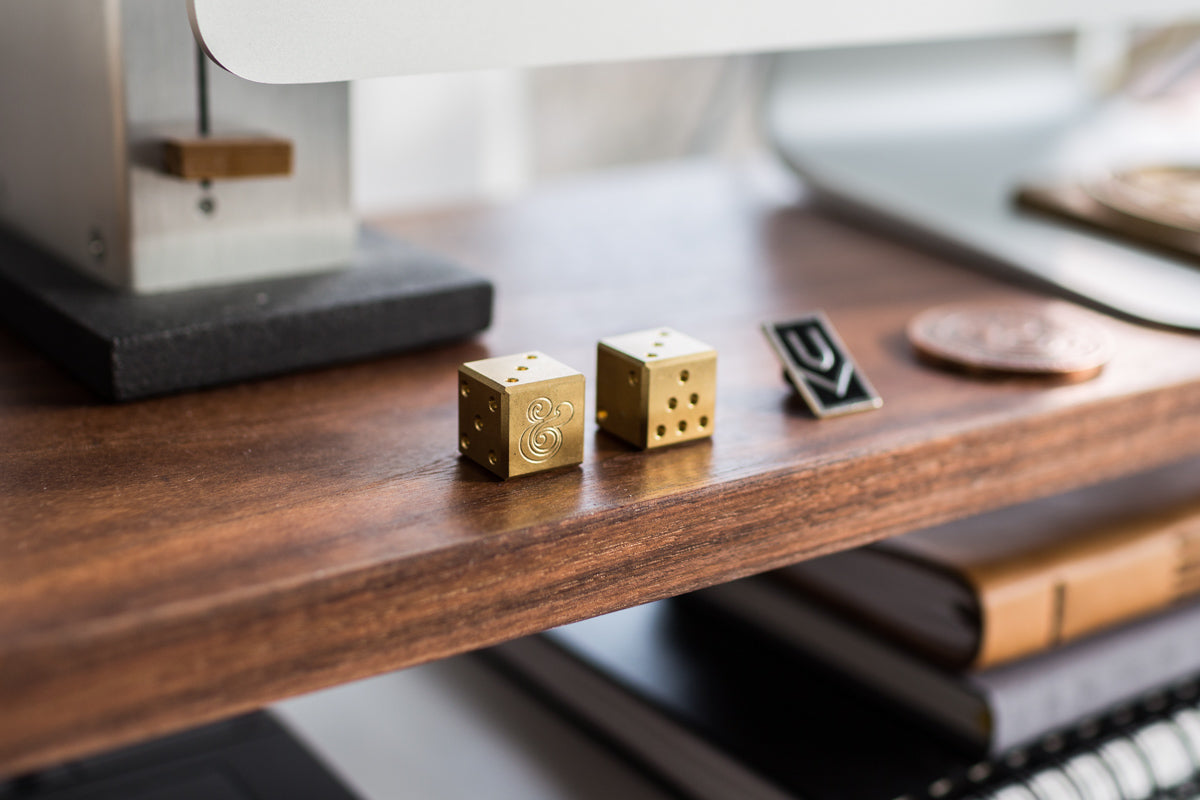
12. Wall Lamp
Another fun little IKEA hack is the extendable wall lamp that’s mounted to the left of my computer. This was not only fun to build and looks neat, but it's also super functional. It provides a nice warm glow at my desk in the morning or night when it’s dark outside. And it can also be easily pushed out of the way or repositioned over my work table to the left.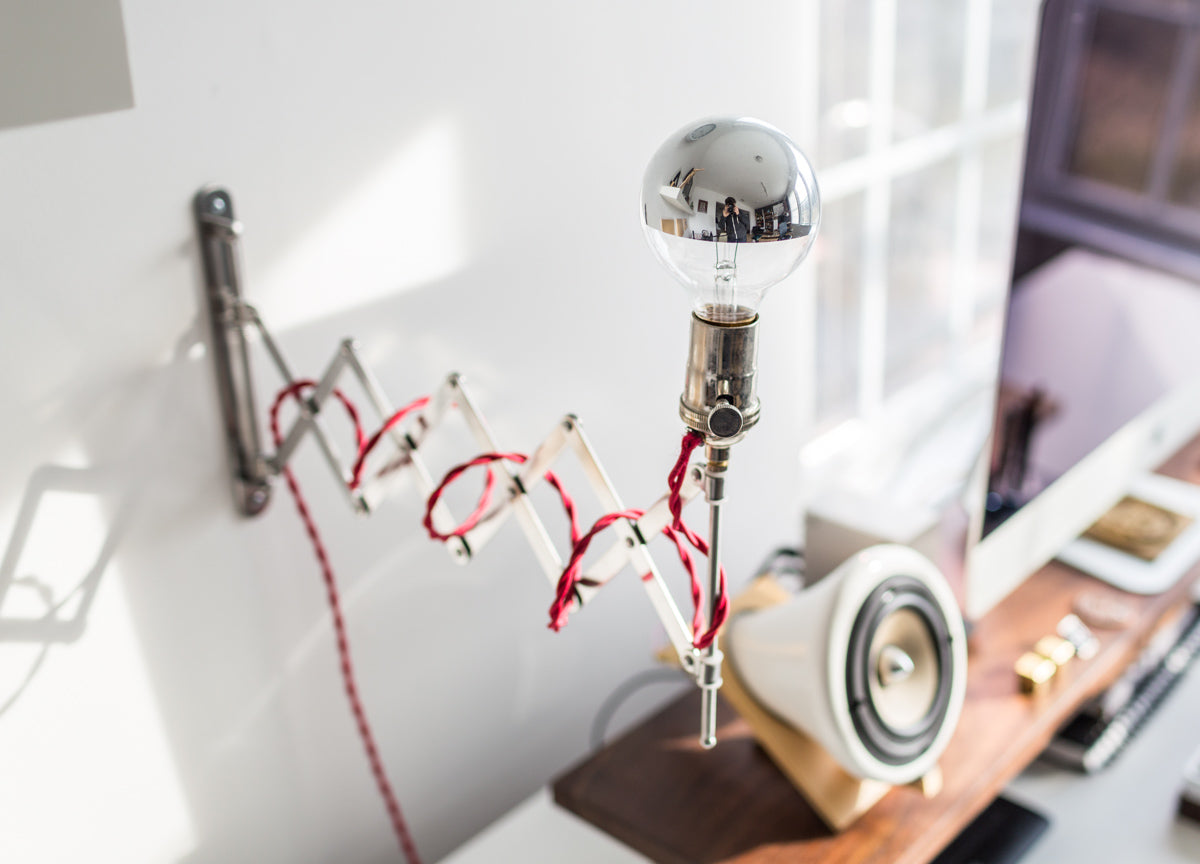
13. Drawer Unit
I have a small drawer unit that nests nicely under my desk. This is handy for storing all of the other odds and ends I use, but want to keep out of sight. Running a physical product business means I have a lot of sample swatches, proofs, and other miscellaneous stuff floating around my office. I’ll be honest, these drawers do get a bit messy from time to time, but not having all this junk on my desk keeps me focussed and organized.
★ The secret project I’ve been working on for 3+ years
My desk has continued to evolve as I’ve learned what works best for me over the years. One of the things I’ve always wished I had was a central place to gather all of the small things that need a place on my desk (phone, pens, post-it notes, etc). All of these little things used to clutter up my desk and would constantly get lost. When I searched for a well-designed minimalist organizer, all I found were ugly, cheaply made products that didn’t function the way that I wanted and didn’t match the clean aesthetic of my workspace. So...I decided to design one myself. For the past 3+ years, I’ve been working on a secret project.It’s called Gather.
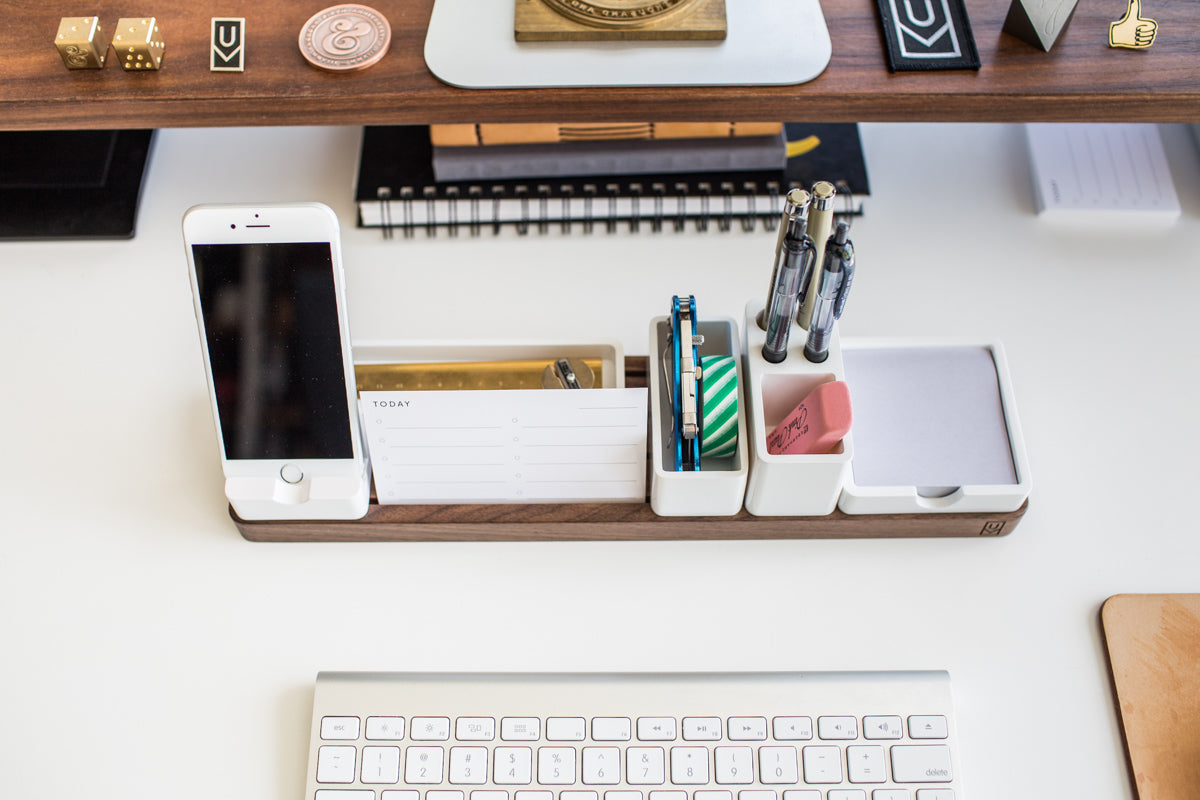 It’s not available for purchase quite yet, but it’s getting super close. This has been the most labor-intensive product I’ve ever designed and engineered.
I’ve been using the prototypes every single day, and it’s become an essential tool in my workflow to help me stay productive. Honestly, I feel lost without it.
It’s not available for purchase quite yet, but it’s getting super close. This has been the most labor-intensive product I’ve ever designed and engineered.
I’ve been using the prototypes every single day, and it’s become an essential tool in my workflow to help me stay productive. Honestly, I feel lost without it.
*Update: Gather is now available for pre-order here
Feel free to leave a comment below with any questions.